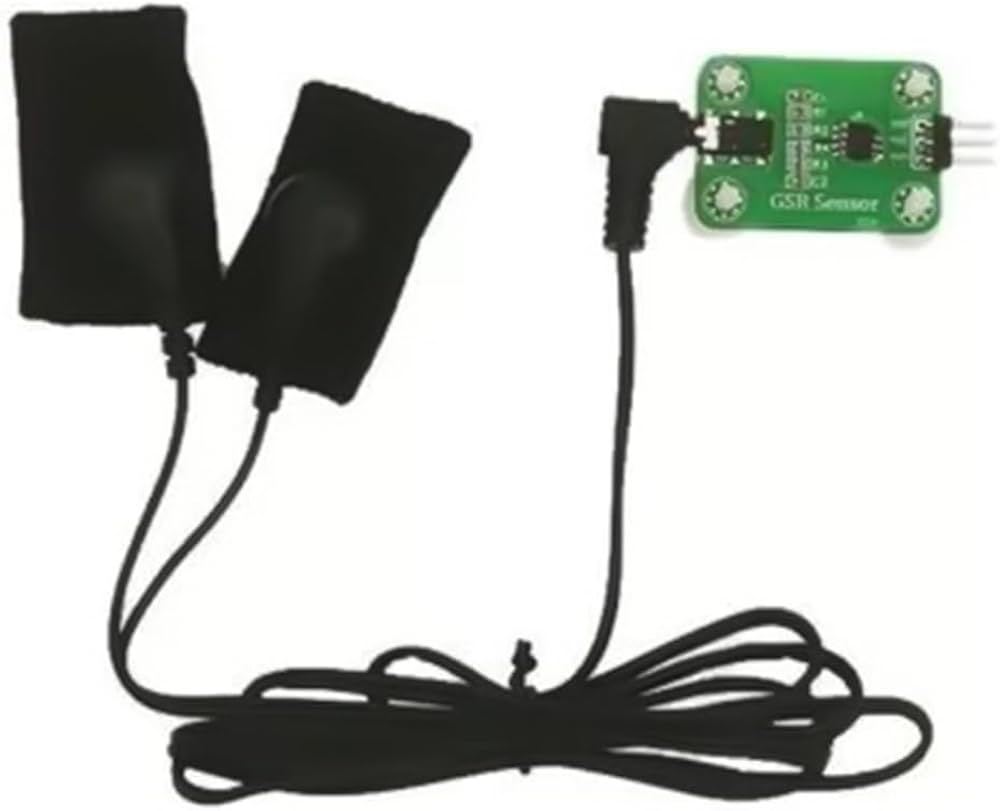
GSR Galvanic Skin Response Module
The GSR Galvanic Skin Response Module V2.0 is an advanced version of the sensor kit designed to provide accurate and reliable measurements of skin conductance. The module detects minute changes in the electrical properties of the skin, which are influenced by sweat gland activity and, by extension, psychological or physiological arousal. This makes it an invaluable tool for experiments in psychology, physiology, and other fields requiring precise biometric data. This version of the module offers improved sensitivity and stability over its predecessors. It comes with easy-to-use electrodes that attach to the skin, and the module itself interfaces seamlessly with various microcontrollers and development boards, such as Arduino, making it ideal for both academic research and practical applications.
Features
- Measures skin conductance to detect physiological arousal linked to sweat gland activity.
- Compatible with both 3.3V and 5V systems for versatile power options.
- Ultra–low working current (~1 mA) ensures power efficiency for battery-powered and wearable usage.
- Compact and lightweight design (35 mm × 25 mm, ~4 g) for easy integration into wearable devices.
- Offers analog voltage output proportional to skin conductance for straightforward analog-to-digital interfacing with microcontrollers.
PINOUT

Specifications
| Parameter | Value |
|---|---|
| Input Voltage | 3.3V – 5V |
| Working Current | ~1 mA |
| Output Type | Analog voltage corresponding to skin conductance |
| Dimensions | 34mm × 25mm |
| Weight | ~4g |
Applications
- Psychological and physiological arousal detection in biofeedback and stress monitoring systems.
- Emotion-responsive wearable devices and wellness trackers.
- Educational projects demonstrating human physiological responses and sensors.
- Human–computer interaction and emotion-aware interfaces for gaming or VR.
- Low-cost lie detectors or sleep quality monitoring prototypes.
Package Contents
- 1x GSR Galvanic Skin Response Module.
- 1x 2-fingers electrode attachments.
- 1x 20cm wires with 3-pin headers.
Note: skin cushions are not included.
Arduino Tutorial
Sample Code to display waveform on serial port:
#include <Arduino.h>
#include <Adafruit_SSD1306.h>

#define OLED_Address 0x3C
Adafruit_SSD1306 oled(128, 64);

#define DEBUG

typedef struct  // Curve parameters
{
  float Draw_Buf[128];  // Curve data cache
  float Draw_Min;       // The minimum value of cached data is in percentage
  float Draw_Max;       // Maximum value of cached data
} _DrawCurve;           // Curve parameters

static _DrawCurve DrawCurve;

void PlotDataInput(_DrawCurve *Draw, float val)
{
  uint8_t i;
  for (i = 1; i < 128; i++)
  {
    Draw->Draw_Buf[i - 1] = Draw->Draw_Buf[i];
  }
  Draw->Draw_Buf[127] = val;

  if (Draw->Draw_Buf[127] > 1)
    Draw->Draw_Buf[127] = 1;
  else if (Draw->Draw_Buf[127] < 0)
    Draw->Draw_Buf[127] = 0;

  Draw->Draw_Max = 0;
  Draw->Draw_Min = 1;
  for (i = 0; i < 128; i++) // Get the maximum and minimum range
  {
      if (Draw->Draw_Min > (Draw->Draw_Buf[i]))
      {
        Draw->Draw_Min = Draw->Draw_Buf[i];
        Draw->Draw_Min = (float)((uint8_t)(Draw->Draw_Min * 100) / 5) / 20;

        if (Draw->Draw_Min < 0) Draw->Draw_Min = 0;
        if ((Draw->Draw_Max - Draw->Draw_Min) < 0.05) Draw->Draw_Max = Draw->Draw_Min + 0.05;
      }
      else if (Draw->Draw_Max < Draw->Draw_Buf[i])
      {
        Draw->Draw_Max = Draw->Draw_Buf[i];
        Draw->Draw_Max = (float)((uint8_t)(Draw->Draw_Max * 100) / 5 + 1) / 20;
        if (Draw->Draw_Max > 1.0)
          Draw->Draw_Max = 1.0;
        if ((Draw->Draw_Max - Draw->Draw_Min) < 0.05) Draw->Draw_Min = Draw->Draw_Max - 0.05;
      }
  }
}

void PlotDataPrint(_DrawCurve *Draw, int fllor, int upper, int lineColor) {

  for (int x = 1; x < 128; x++) {
    float k = (upper - fllor) / (Draw->Draw_Max - Draw->Draw_Min);  // Y-axis scaling factor

    float last_y = upper - ((Draw->Draw_Buf[x - 1] - Draw->Draw_Min) * k);
    float now_y = upper - ((Draw->Draw_Buf[x] - Draw->Draw_Min) * k);

    oled.drawLine(x - 1, last_y, x, now_y, lineColor);
  }
}

void setup() {

#ifndef DEBUG
  oled.begin(SSD1306_SWITCHCAPVCC, OLED_Address);
  oled.clearDisplay();
#else
  Serial.begin(115200);

#endif
  delay(100);
}

void loop() {
  static uint16_t value = 0;
  value = analogRead(A0);

#ifndef DEBUG
  PlotDataInput(&DrawCurve, value / 1024.0);  // Incoming Data
  oled.clearDisplay();
  PlotDataPrint(&DrawCurve, 10, 60, WHITE);  // Print Curve
  oled.display();

#else
  Serial.println(value);
  delay(5);
#endif
}